Regenerated from
@manual-tagged Playwright tests on 2026-04-28T22:25:03.713Z. Do not edit by hand — every change belongs in a test.
Correct a finalised match to a new score
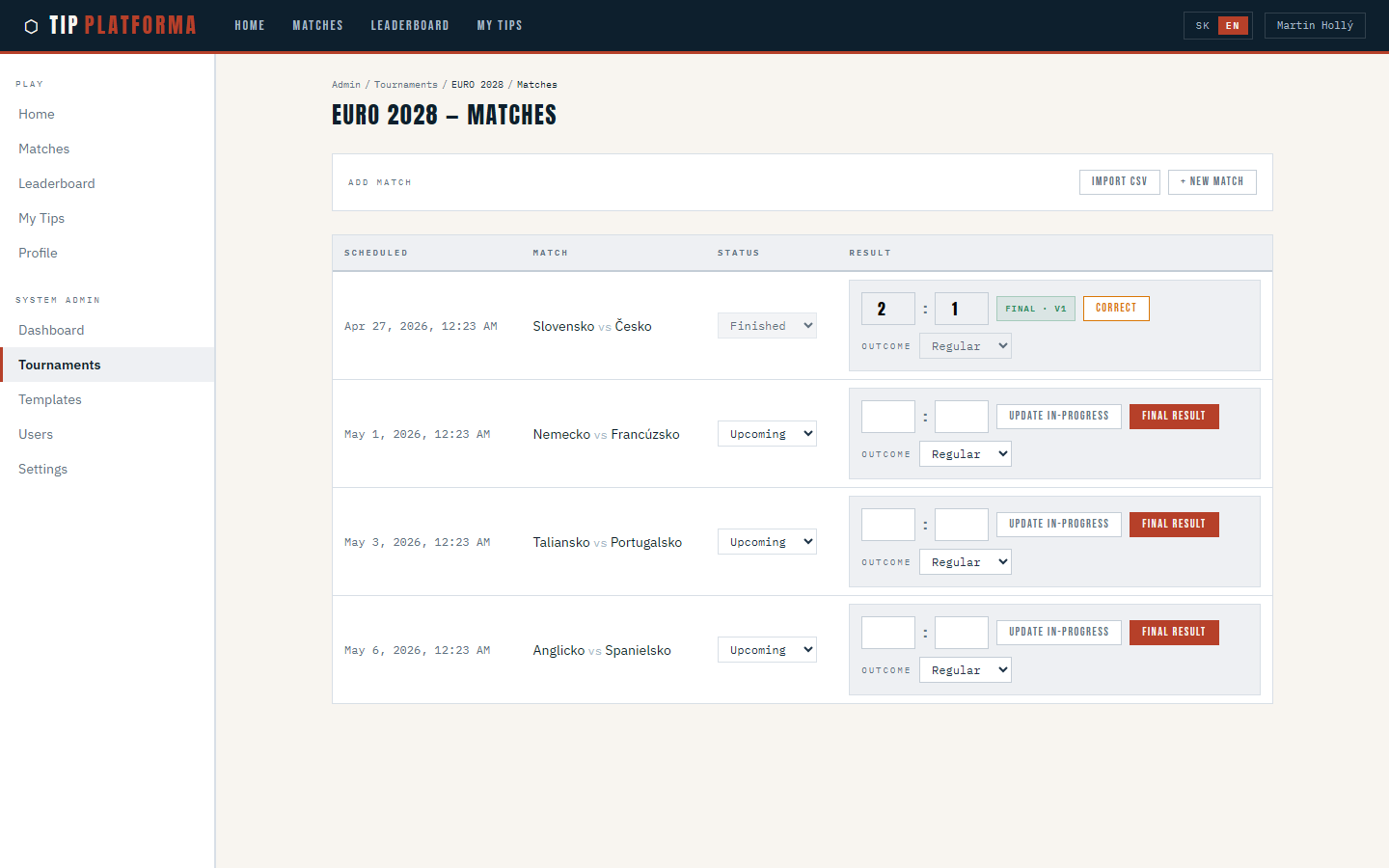
- Open the tournament's match schedule page.
Klikni pre zvacsenie
- Find the finalised match whose result was wrong.

Klikni pre zvacsenie
- Re-open the final-result entry for that match.
- Enter the corrected final score — a 1:1 draw instead of the original 2:1 home win.
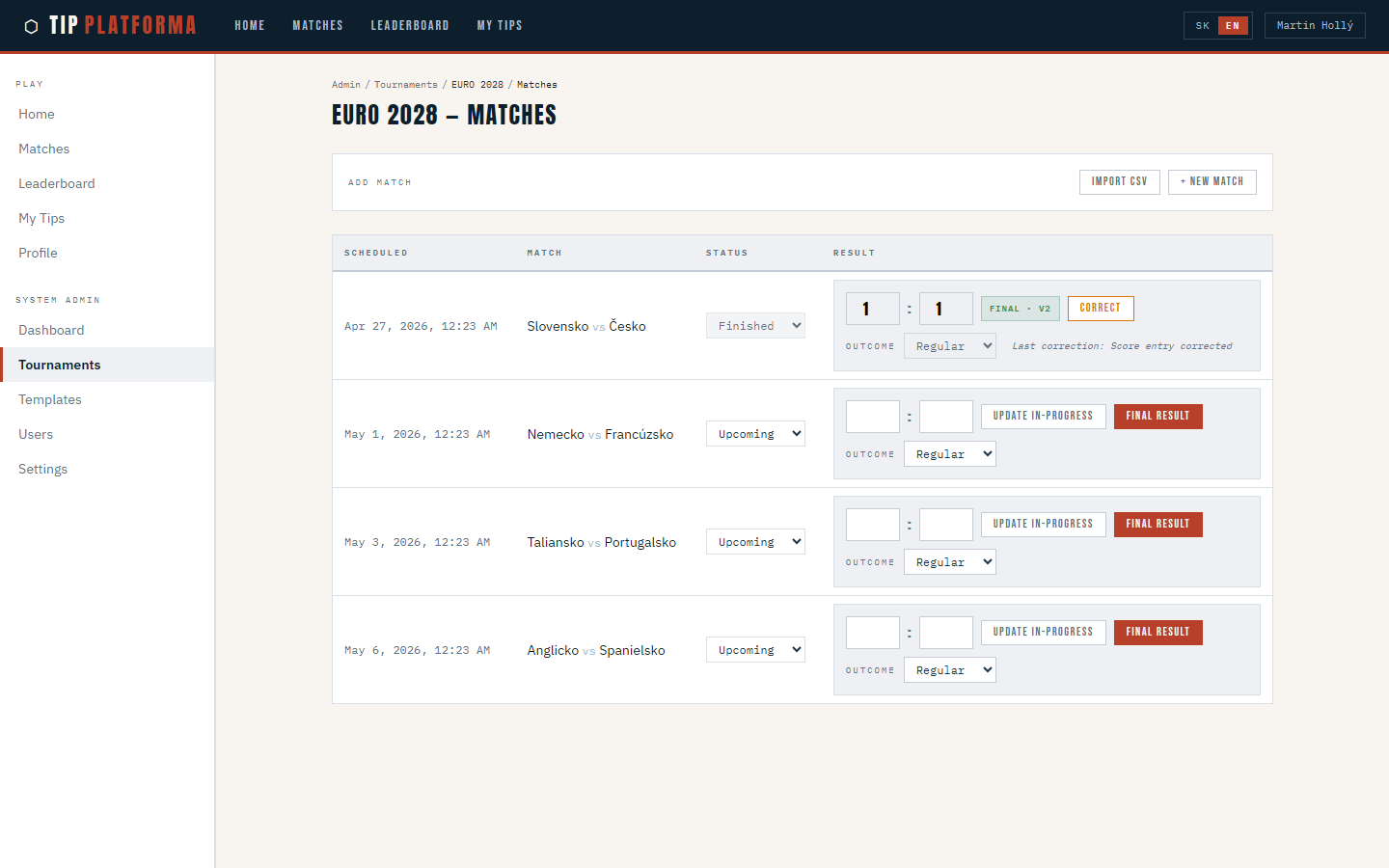
- Confirm the action and acknowledge the warning that this re-runs scoring for every prediction.
- Confirm the match's badge now reads "Final · v2".
Klikni pre zvacsenie

Klikni pre zvacsenie
See points and breakdown reflect the corrected result
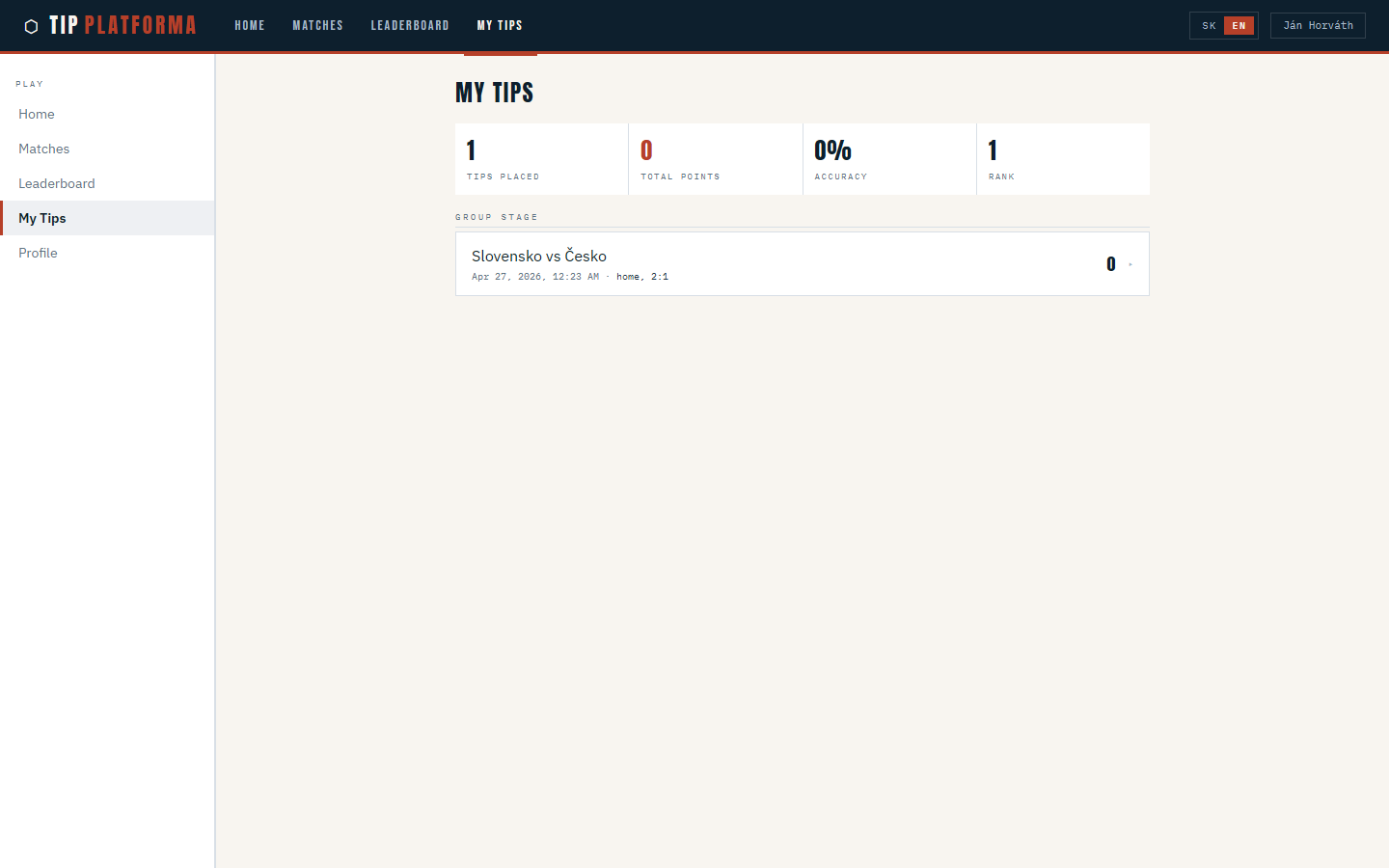
- Open My Tips for "ACME Futbalová liga".
Klikni pre zvacsenie
- Find the row for the corrected match — it's the Slovensko vs Česko fixture that was rescored after Martin's correction.

Klikni pre zvacsenie
- Read the new points-awarded value — it now reads 0 because the match ended 1:1 and your 2:1 home-win prediction no longer matches.
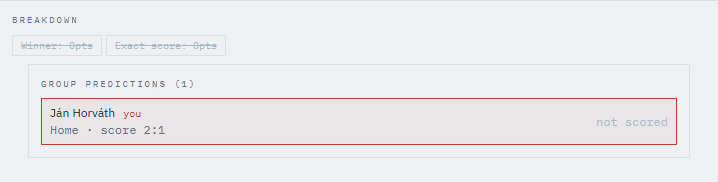
- Look at the updated breakdown — both winner and exact-score components are now worth zero.
Klikni pre zvacsenie
- Open Leaderboard and note your rank has shifted; the update ran in realtime when the correction was saved.
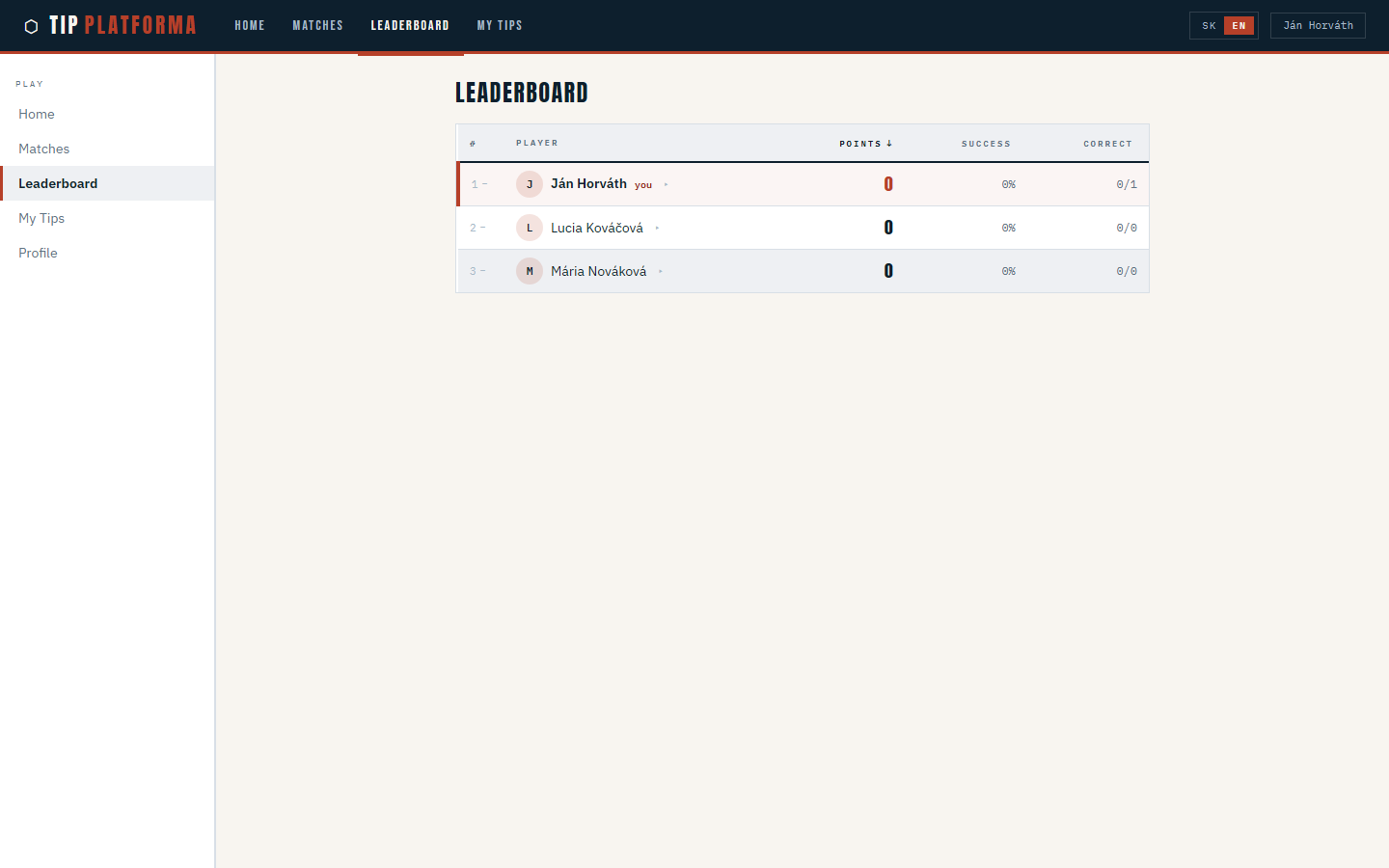
Klikni pre zvacsenie